The projectSkills and evidence3 min read
UX
The UX rules are written into the code: pages that don’t wait for their slowest query, no toast for a success you can already see, actions you can undo, nothing lost, a storefront you can browse with the keyboard.
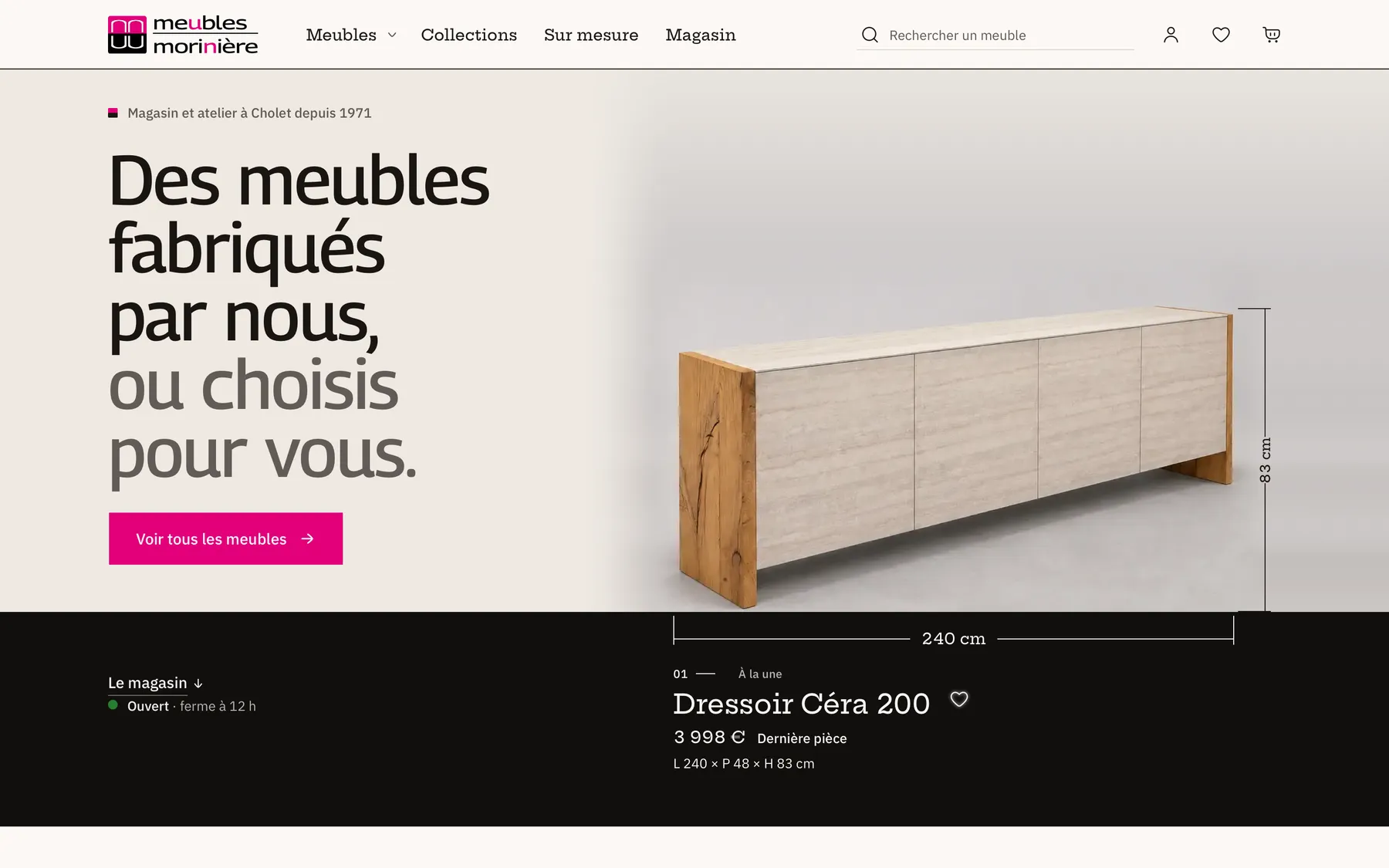
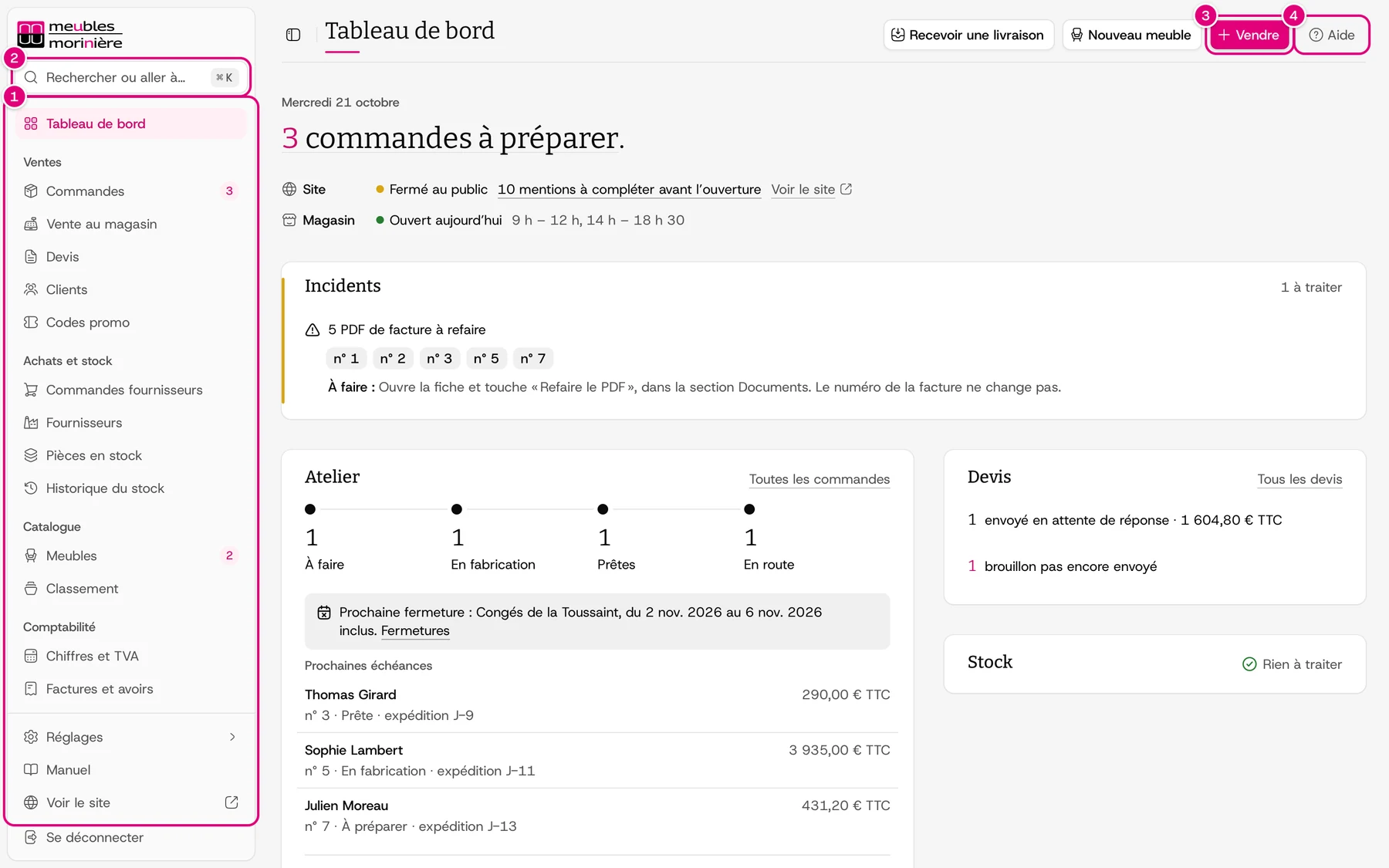
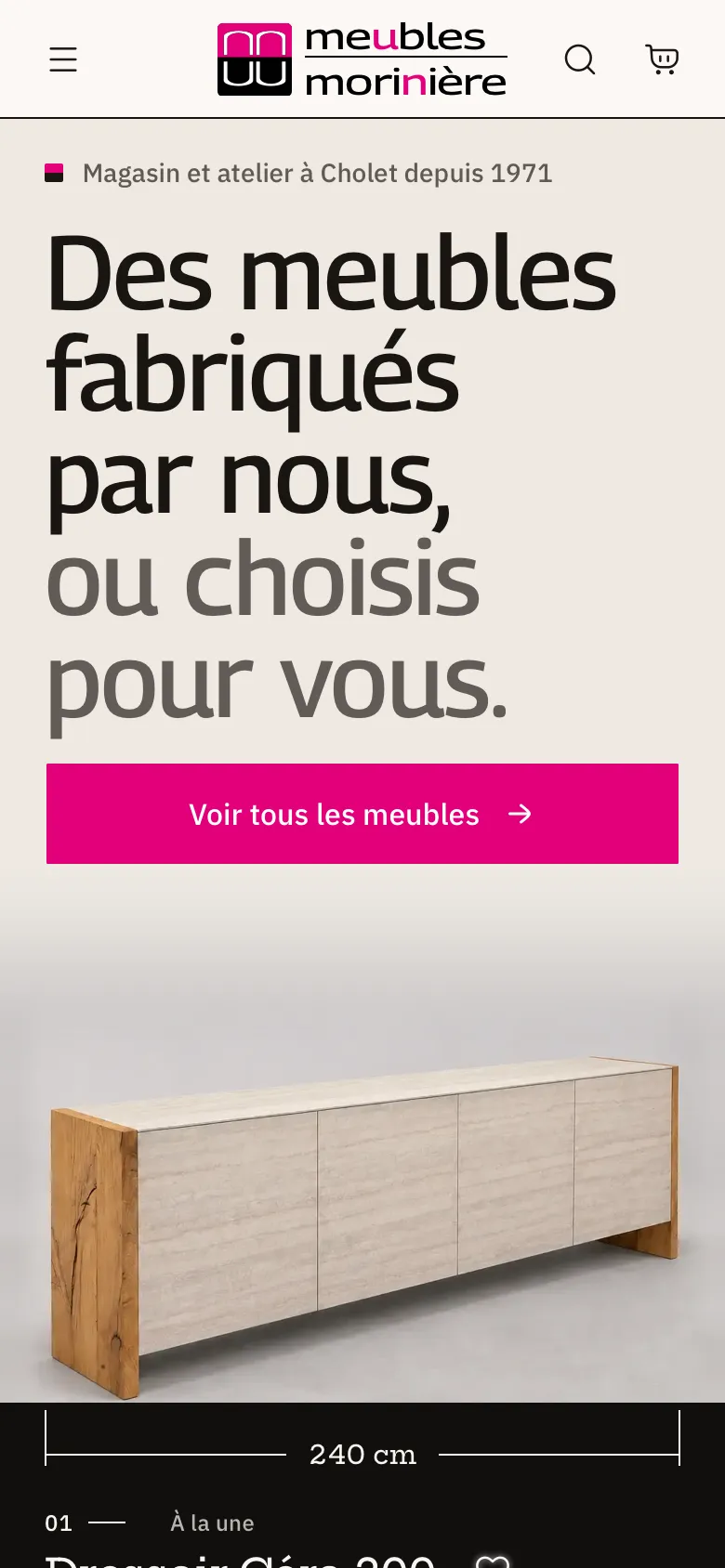
The interface is for a small team working in the store and on the phone, and for customers of all ages on mobile networks. The screenshots show the result. To make it last, every UX rule is written into a shared component, and a test checks the most fragile ones.
An ERP page never waits for its slowest query
The dashboard reads the workshop, appointments, quotes, incidents and the till. If it waited for the slowest of these reads, the team would look at an empty screen every morning. And if a single one failed, the whole page would go down.
So the header shows up right away. Each block reads its data in its own server component, under its own Suspense. It comes in at its own pace, with a fade from its skeleton. Each block also has its own safety net, so a failed read only breaks its own block. And the route’s loading.tsx reuses the same header and the same skeletons, so the page doesn’t jump when you navigate.
apps/erp/app/(console)/tableau-de-bord/page.tsx · lines 114–180/**
* La page du matin : la phrase du jour, la caisse et l'état du magasin, les incidents rangés, puis
* quatre feuilles qui appellent chacune un geste — l'atelier, les rendez-vous, les devis, ce qui
* reste à suivre. Des chiffres de vente, elle ne garde que l'encaissé du jour et celui du mois, pour
* l'échelle ; le reste est sur la page Ventes.
*/
export default function AdminDashboardPage() {
return (
<>
<AdminPageHeader
section={ROUTES.ADMIN.DASHBOARD}
intro={false}
primaryAction={<SaleChooser />}
foldedActions={<DashboardShortcuts />}
/>
<DashboardLiveRefresh />
<Suspense fallback={<DashboardLedeSkeleton />}>
<LedeSection />
</Suspense>
<Suspense fallback={null}>
<IncidentsSection />
</Suspense>
<Suspense fallback={null}>
<HealthAlertSection />
</Suspense>
<Suspense fallback={null}>
<SetupSection placement="top" />
</Suspense>
<Suspense fallback={null}>
<PushInviteSection />
</Suspense>
<DashboardGrid
workshop={
<BlockFailureBoundary spec={DASHBOARD_BLOCKS.workshop}>
<RevealSuspense fallback={<DashboardBlockSkeleton {...WORKSHOP_SKELETON} />}>
<WorkshopSection />
</RevealSuspense>
</BlockFailureBoundary>
}
agenda={
<BlockFailureBoundary spec={DASHBOARD_BLOCKS.agenda}>
<RevealSuspense fallback={<DashboardBlockSkeleton {...AGENDA_SKELETON} />}>
<AgendaSection />
</RevealSuspense>
</BlockFailureBoundary>
}
quotes={
<BlockFailureBoundary spec={DASHBOARD_BLOCKS.quotes}>
<RevealSuspense fallback={<DashboardBlockSkeleton {...QUOTES_SKELETON} />}>
<QuotesSection />
</RevealSuspense>
</BlockFailureBoundary>
}
followUps={
<BlockFailureBoundary spec={DASHBOARD_BLOCKS.followUps}>
<RevealSuspense fallback={<DashboardBlockSkeleton {...FOLLOW_UPS_SKELETON} />}>
<FollowUpsSection />
</RevealSuspense>
</BlockFailureBoundary>
}
/>
<Suspense fallback={null}>
<SetupSection placement="bottom" />
</Suspense>
</>
);
}Further reading: ERP interface, Next.js and React.
A visible success gets no toast, and an action can be undone
A toast hides part of the screen. Showing “Saved” when the person has just watched the value change adds noise. And asking “Are you sure?” before every action slows things down, when an “Undo” button would be enough to make it safe.
So the callbacks shared by every action don’t show a toast for a success. The message goes to the screen reader, and the screen shows the rest. A success toast has to be asked for explicitly. It’s for what the screen doesn’t show, and first of all for an action you can undo. In that case, the toast carries “Undo”.
A dropped connection, a conflict or an expired session loses nothing
In the store, the network drops, two people edit the same order, a session expires in the middle of an entry. Each time, the interface has two options: throw the work away, or say what to do.
The ERP’s forms, action buttons and confirmations all go through the same hook.
- When an action is slow, it says it’s working.
- On a conflict, it offers to replay exactly the same input.
- If there was a deployment in the meantime, it offers to reload.
- If the session has expired, it sends the person to sign in, then back to the page. In the middle of a long entry, the input stays on screen and the sign-in page opens in another tab.
apps/erp/shared/hooks/use-admin-action.ts · lines 66–190export function useAdminAction<TData = unknown>(
serverAction: ServerAction<TData>,
options?: UseAdminActionOptions<TData>,
) {
const router = useRouter();
const pathname = usePathname();
const lastFormData = useRef<FormData | null>(null);
const failureToast = useRef<string | number | undefined>(undefined);
const showFailure = (...failure: Parameters<typeof toast.error>) => {
failureToast.current = toast.error(...failure);
};
const remembering: ServerAction<TData> = async (previousState, formData) => {
// Posé avant tout `await` : le type suit la transition du geste jusqu'au rendu de la réponse.
// Un geste confirmé dans un panneau s'en passe : le calque des transitions passerait devant le
// panneau qui se ferme, et sa fermeture dit déjà que c'est fait.
if (document.querySelector(PANEL_SURFACES) === null) addTransitionType(GESTURE_RESULT);
lastFormData.current = formData;
if (failureToast.current !== undefined) {
toast.dismiss(failureToast.current);
failureToast.current = undefined;
}
let notice: string | number | undefined;
const timer =
options?.slowGestureNotice === false
? undefined
: setTimeout(() => {
notice = toast.loading(SLOW_GESTURE_NOTICE);
}, SLOW_GESTURE_MS);
try {
return await serverAction(previousState, formData);
} catch (error) {
if (unstable_isUnrecognizedActionError(error)) return errorState(STALE_DEPLOYMENT_MESSAGE);
throw error;
} finally {
if (timer !== undefined) clearTimeout(timer);
if (notice !== undefined) toast.dismiss(notice);
}
};
const { state, action, isPending } = useActionWithToast(remembering, {
onSuccess: (result) => {
triggerHaptic("success");
options?.onSuccess?.(result);
},
onWarning: (result) => {
triggerHaptic("success");
options?.onWarning?.(result);
},
toastOptions: { ...options?.toastOptions, showErrorToast: false },
onError: (result) => {
triggerHaptic("error");
options?.onError?.(result);
if (
options?.refreshOnError &&
result.status !== ActionStatus.FORBIDDEN &&
result.status !== ActionStatus.NOT_FOUND &&
result.message !== NETWORK_FAILURE_MESSAGE
) {
router.refresh();
}
switch (result.status) {
case ActionStatus.FORBIDDEN: {
if (options?.keepsPageWhenSignedOut === true) {
showFailure(SIGNED_OUT_KEEPS_PAGE_MESSAGE, {
duration: Number.POSITIVE_INFINITY,
action: { label: SIGN_IN_AGAIN_LABEL, onClick: () => openSignInBeside(pathname) },
});
return;
}
router.push(signInAfterSignOut(returnTargetOf(pathname, window.location.search)));
return;
}
case ActionStatus.NOT_FOUND:
showFailure(result.message);
if (options?.staysOnNotFound === true) router.refresh();
else router.push(options?.listHref ?? sectionOf(pathname)?.href ?? ROUTES.ADMIN.ROOT);
return;
case ActionStatus.CONFLICT:
if (options?.globalErrorDisplay === "inline") return;
if (result.message === CONFLICT_RETRY_MESSAGE) {
const failed = lastFormData.current;
let replayed = false;
showFailure(result.message, {
action: {
label: RETRY_LABEL,
onClick: () => {
if (failed === null || replayed) return;
replayed = true;
startTransition(() => action(failed));
},
},
});
} else {
showFailure(result.message);
}
return;
case ActionStatus.VALIDATION_ERROR:
if (options?.toastOptions?.validationErrorDisplay === "toast") {
showFailure(result.message);
}
return;
default:
if (options?.globalErrorDisplay === "inline") return;
if (result.message === RECENT_SIGN_IN_REQUIRED_MESSAGE) {
showFailure(result.message, {
duration: Number.POSITIVE_INFINITY,
action: { label: SIGN_IN_AGAIN_LABEL, onClick: () => openSignInBeside(pathname) },
});
} else if (result.message === STALE_DEPLOYMENT_MESSAGE) {
showFailure(result.message, {
action: { label: RELOAD_LABEL, onClick: () => window.location.reload() },
});
} else {
showFailure(result.message);
}
}
},
});
useDebugValue(isPending ? "en cours" : (state?.status ?? "au repos"));
return { state, action, isPending };
}The storefront works with a keyboard and passes the WCAG rules
A drawer that lets focus escape, a missing skip link, contrast that’s too low: that shuts out some customers, and the team never sees it.
So the end-to-end tests run axe on the pages and on open surfaces, with the WCAG rules up to level AA. Other walkthroughs use the keyboard alone. The first Tab has to lead to the skip link, and focus has to stay inside the cart drawer. These tests are run by hand, they don’t run on push (Quality).
packages/testing/src/axe.ts · lines 4–4export const AXE_TAGS: string[] = ["wcag2a", "wcag2aa", "wcag21a", "wcag21aa", "wcag22aa"];Further reading: Performance and accessibility, and, on the customer side, customers pay what the page showed them.