The project10 min read
Overview
The store and its trade, the problem to solve, who I built the software for, and what the ERP and the storefront do day to day.
Meubles Morinière is a family business in Cholet, in Maine-et-Loire, in western France. Since 1971, it has built furniture in its own cabinetmaking workshop and sold it in its store. I develop its software. It covers the whole trade, from a piece’s record to its delivery. The team works in the ERP. Customers choose and track their furniture on the storefront, and they’ll be able to pay there once the terms of sale are final. The ERP and the storefront run on the same Postgres database. So a sale made online, in the store or from a quote is the same order, and we follow it all the way to the invoice.
This doc is long. Depending on what you’re looking for, a reading path gets you to the essentials in a few pages.
- You are hiringThe essentialsWhat the project is, what it shows for a given role, and how I use AI as leverage.6 steps · about 12 minStart
- You lead an engineering teamThe decisionsThe choices that shape the software, what they cost, what I refused to build and how I work with coding agents.6 steps · about 51 minStart
- You write softwareIn the codeHow the repository is organized, what the database guarantees, how pages render, and what judges a change before production.7 steps · about 1 h 20Start
Context
In the workshop, the cabinetmakers build solid wood and steel furniture, made to measure or from their own designs. The store shows it alongside furniture, lighting and decor bought from Italian, Spanish and French makers.
The team is small. The same people sell in the store, write quotes, order from suppliers, build, deliver and keep the books. Online sales come on top of the store. So the same piece can sell in the store or on the storefront, and each one has to know what the other has sold.
The business problem
When you make what you sell, every sale becomes a small project that runs over several weeks.
First problem, lead times. A made-to-order piece takes several weeks to arrive. The date promised to the customer depends on the workshop’s lead time, the suppliers, working days and store closures. And if we can’t keep that date anymore, we have to tell the customer before they notice on their own.
Then, the money comes in several payments: a deposit, then the balance, online or in the store (cash, cheque, card, bank transfer). Sometimes there’s also a refund or a credit note.
Stock is shared between the store and the storefront. A piece sold in the store must not be payable on the storefront anymore. And if the store sells a piece a customer is paying for online, that payment has to stop.
A customer order often triggers another one with a supplier. You have to chase it, check that its acknowledgement matches what the customer chose (finish, colour, dimensions), then serve the customer as soon as the goods arrive.
And there’s the law: invoices you can’t change anymore, payments where the smallest edit has to show, VAT, the withdrawal right for distance selling, personal data you only keep for a while, and timber traceability (EUDR).
Each of these could be handled with an off-the-shelf tool: a till, an online shop, a spreadsheet. The real problem is what happens between those tools. The date promised on the storefront depends on the workshop’s deadline. The purchase that arrives has to go to the customer who’s waiting for it. And the payment has to find its invoice.
Goals
- You enter a piece of data only once. After that it’s used everywhere: in the ERP, on the storefront, in emails, in PDFs and in the Google Merchant Center feed.
- We only promise the customer what we can actually do. The price, availability and date they see come from the rule the workshop applies, written once in
packages/domain(Business logic). And they pay what they saw (Cart and checkout). - Obligations must not depend on the team staying alert. Everything that touches money, the law and stock is protected by the database (Data). The storefront is open to the whole Internet, so it can only create an order awaiting payment. The ERP is what marks it paid (Security).
- The ERP has to make life easier for a small team. It’s fast, it works on a phone, it flags every morning what needs a look, and it takes care of the tedious data entry (ERP interface).
Users
| Who | Where | What they do there |
|---|---|---|
| The store and workshop team | The ERP, on a computer and a phone | sell in the store, write quotes, pick and deliver, order from suppliers, count stock, publish the catalogue, follow the figures |
| Customers | The storefront | choose, pay, accept and pay a quote, track an order, withdraw, find their invoices |
| The accountant | The ERP’s exports | receive the fiscal-year export. The ERP also prepares the VAT returns |
In the ERP, everyone has the same rights. In a team this size, everyone has to be able to do everything. So the screens are organised by trade. Sensitive actions still need a recent sign-in: refunding, issuing a credit note, erasing data, exporting personal or tax data.
On the storefront, the customer account is optional. You can pay for and track an order without one. To sign in, you get a one-time code by email. There’s no password.
The ERP, the team’s tool
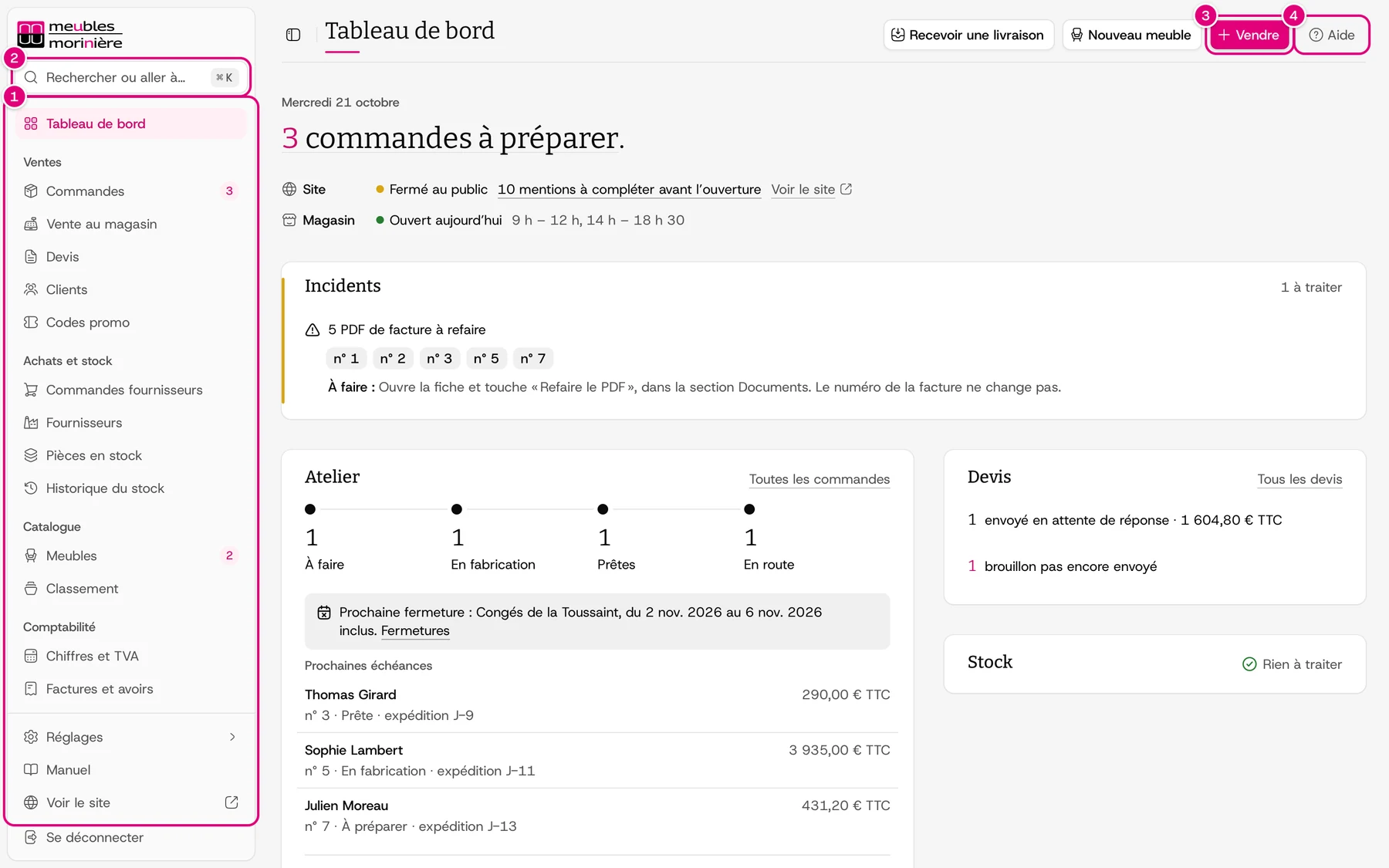
The left-hand menu is organised by trade: Sell, Purchasing and stock, Catalogue, Management (apps/erp/shared/constants/admin-sections.ts#ADMIN_SIDEBAR_GROUPS). The day starts on the dashboard and the “To do” list, sorted by what you lose by waiting (The team’s day). The palette (⌘K) opens any screen, any record and any chapter of the manual.
- Sell: an in-store sale can be paid in one or several payments. On an order, you see payment status and fulfilment status side by side. A quote goes to the customer, who can accept it and pay it online. It then becomes an order. Sending waits for online payment to open (Quotes, Orders, Deposits and payments).
- Workshop and delivery, in the Sell group: each order has two dates. There’s the workshop deadline, counted in working days from payment, and the date promised to the customer. If the workshop deadline goes past the promised date, the ERP flags it and the team tells the customer (Lead times and promised dates). Picking and delivery planning are there too.
- Purchasing and stock: a supplier order is linked to the lines of customer orders. When it arrives, what the customer is waiting for goes straight to them, and the rest goes into stock at weighted average cost. Restocking suggests whatever drops below its threshold. And the stock ledger can’t be rewritten (Suppliers and purchasing, Stock).
- Catalogue: the furniture and its variants, photos, categories, collections, colours and materials. As soon as you publish or edit something, the cache of the affected pages is invalidated on the storefront (Exchanges between the applications).
- Management: figures and VAT, invoices and credit notes, the returns for each period and the fiscal-year export (Invoicing). Refunds, withdrawals, product returns and disputes are tracked on the order (After-sales). A customer’s record groups their orders and quotes, whether they bought on the storefront or in the store (Customers).
- Settings and backstage: opening hours, closures, delivery, promo codes and staff accounts, plus system health and Fisher’s metrics.
Even if nobody opens the ERP, the daily check looks every morning at what’s wrong and sends it to the team by email and on their phones. A new order or a dispute also comes in as a notification (ERP).
ERP
Start the day
You see what needs attention first, then open any screen from the keyboard.
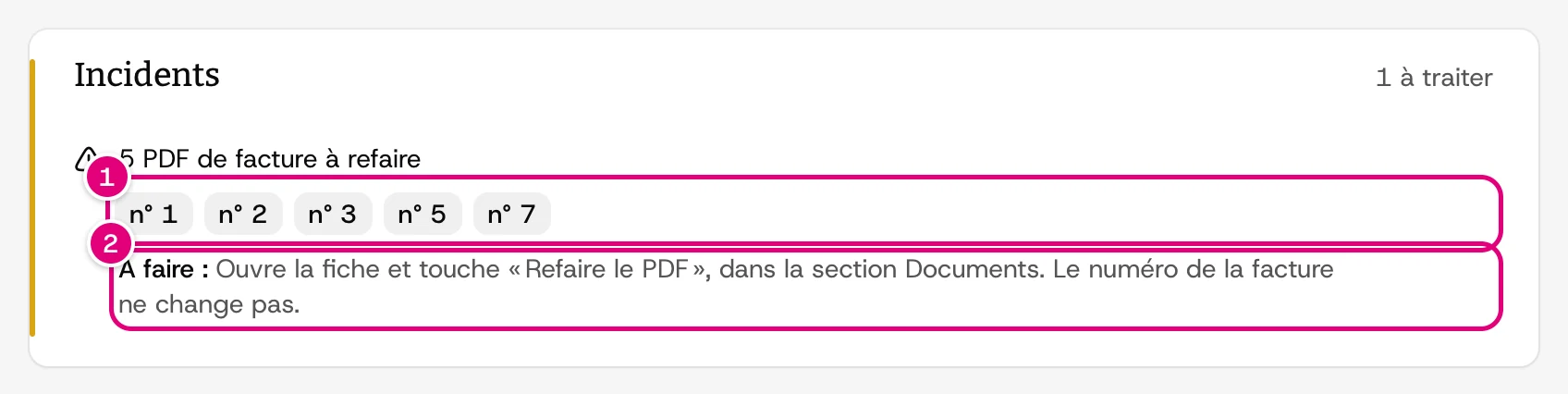
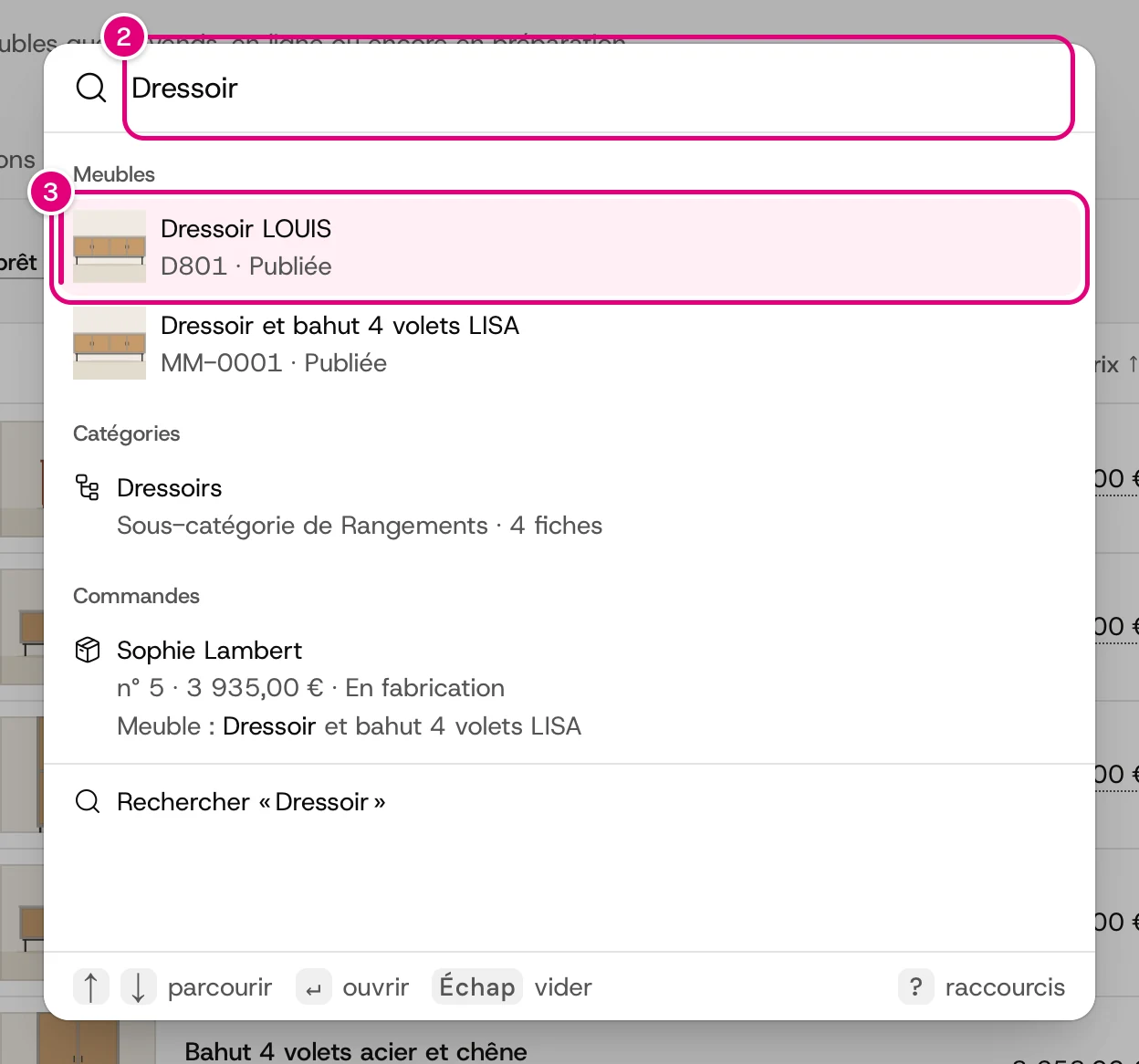
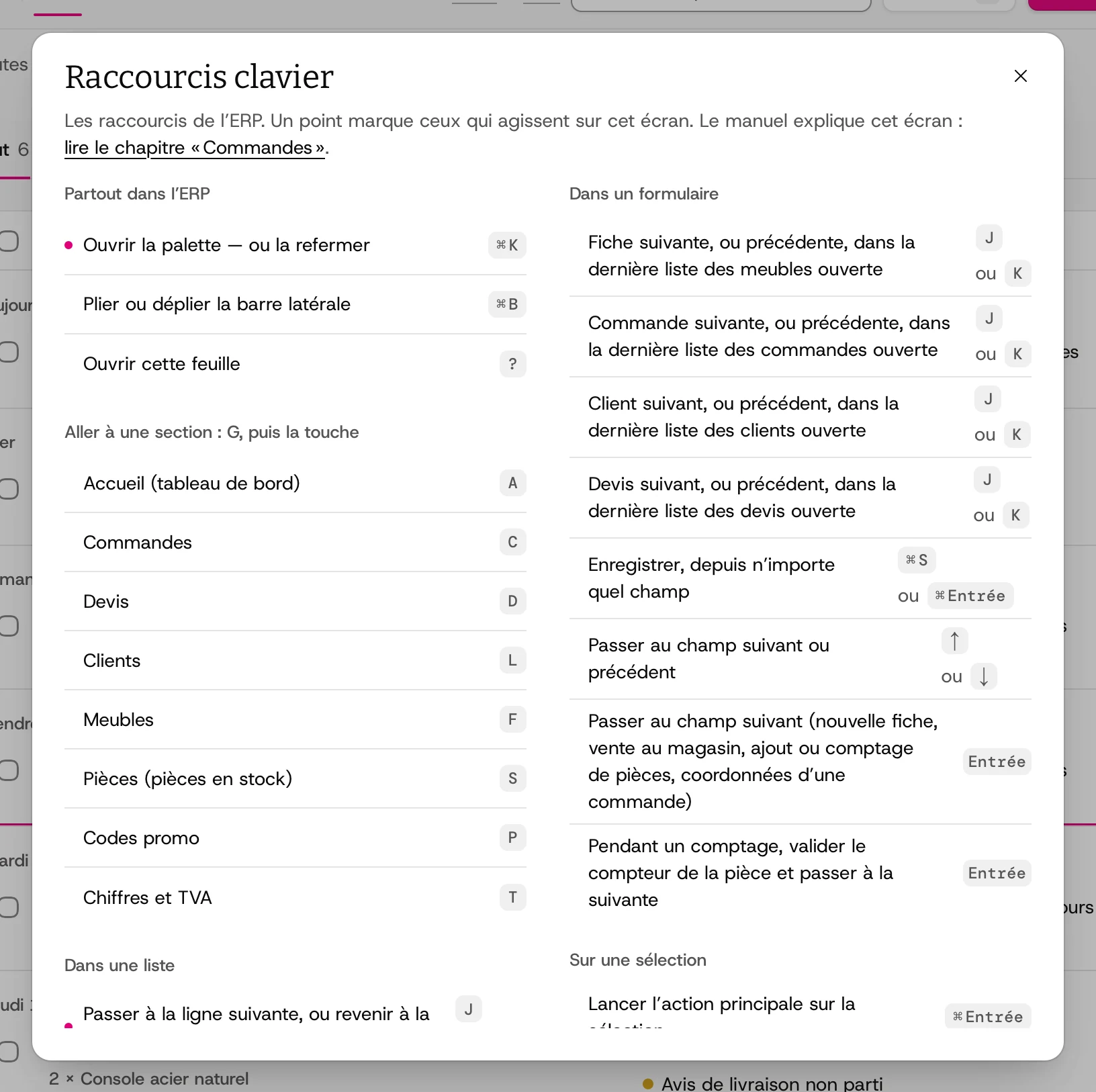
Dashboard. It shows orders to prepare, website and store status, incidents, the workshop, quotes and stock.
Screenshots from the team’s manual, on the demo database. The people, emails and amounts are fictitious, and the numbered markers guide the reader.
The storefront, the customers’ shop
- Choose: the catalogue and its filters, search, collections and favourites. On a piece’s page, the customer sees the variants, the price, the availability and the possible delivery date, computed with the same rules as in the ERP.
- Pay: the cart, then payment through Stripe Checkout. If a price, a stock level or a discount changed between the moment the customer saw it and the moment they pay, the storefront tells them. They only pay what they saw (Cart and checkout). In production, online payment stays closed until the terms of sale are final (
isCheckoutOpen). - Accept a quote: the customer opens their quote from a link. They can download the PDF and pay online.
- Track: you don’t need an account to track an order. With an account, you find your orders, quotes and invoices in one place. You can also request a withdrawal online.
- Ask: a made-to-measure project is described in one sentence, and a problem after the purchase is reported with photos. Both go to the store by email, with no ticket system (Requests to the store).
- Be found: the sitemap, structured data, share images, and a Google Merchant Center feed that carries the price, delivery and date shown on the page (Search engines).
Storefront
Choose and order
From the front page to order tracking, as customers see it.
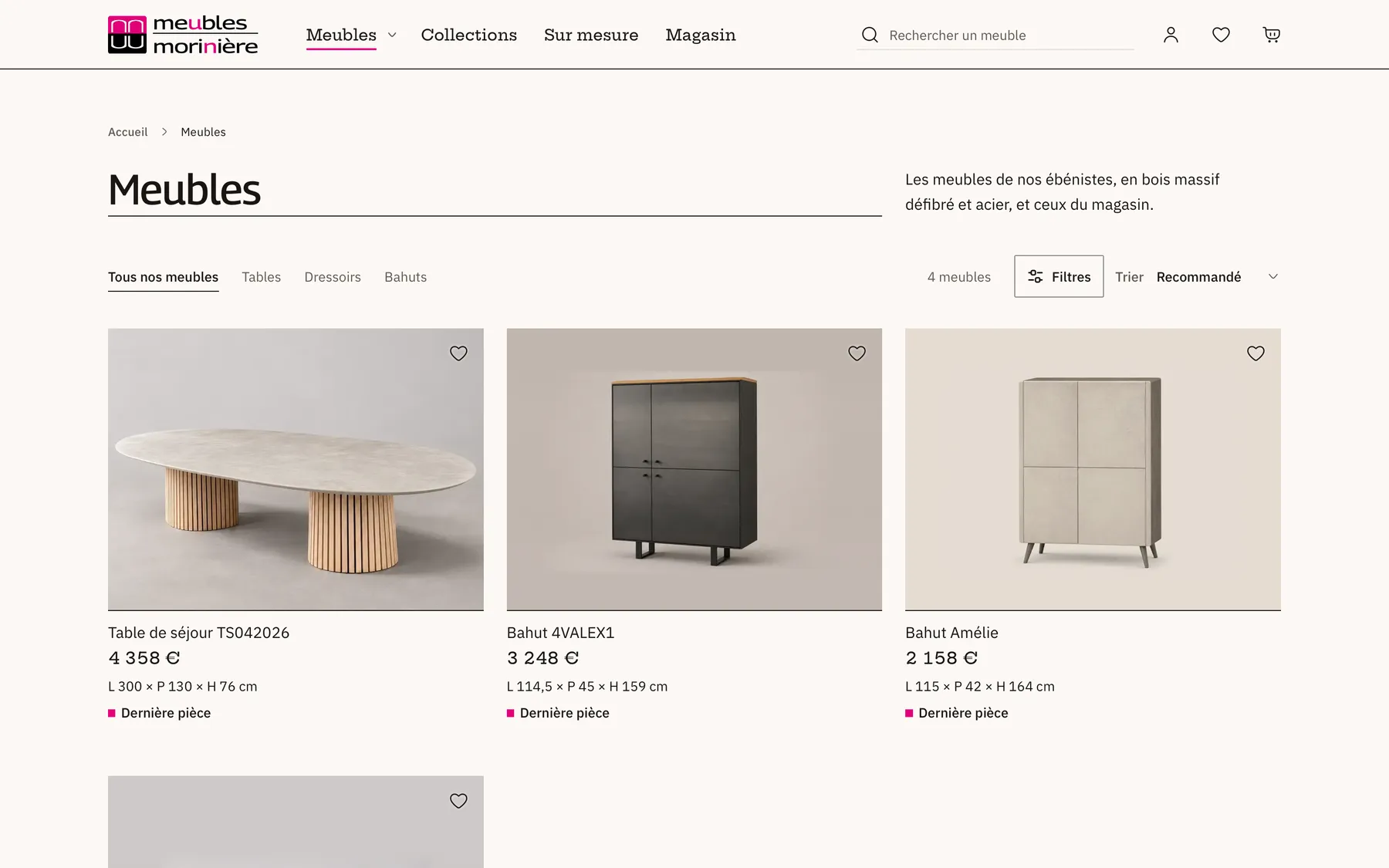
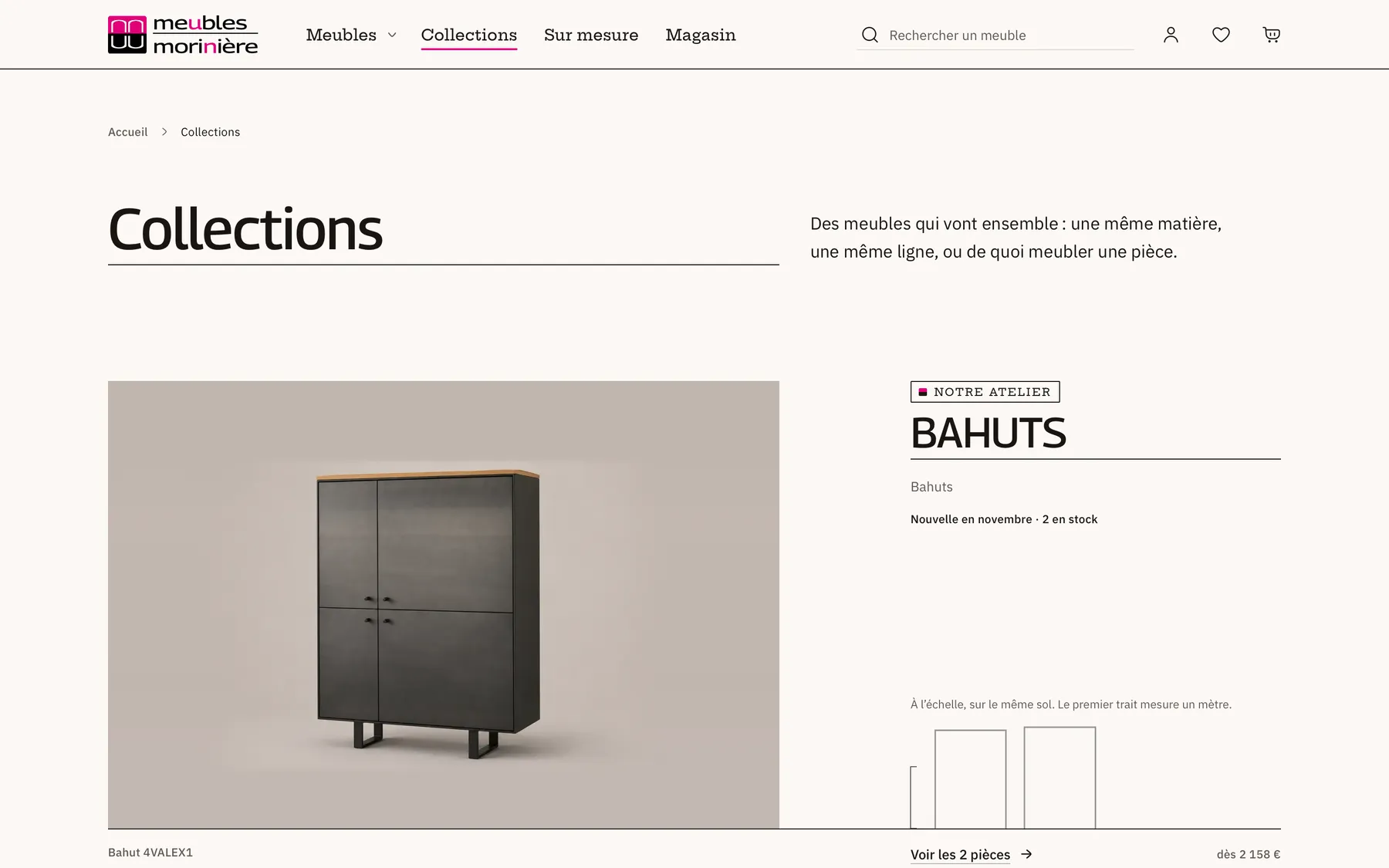
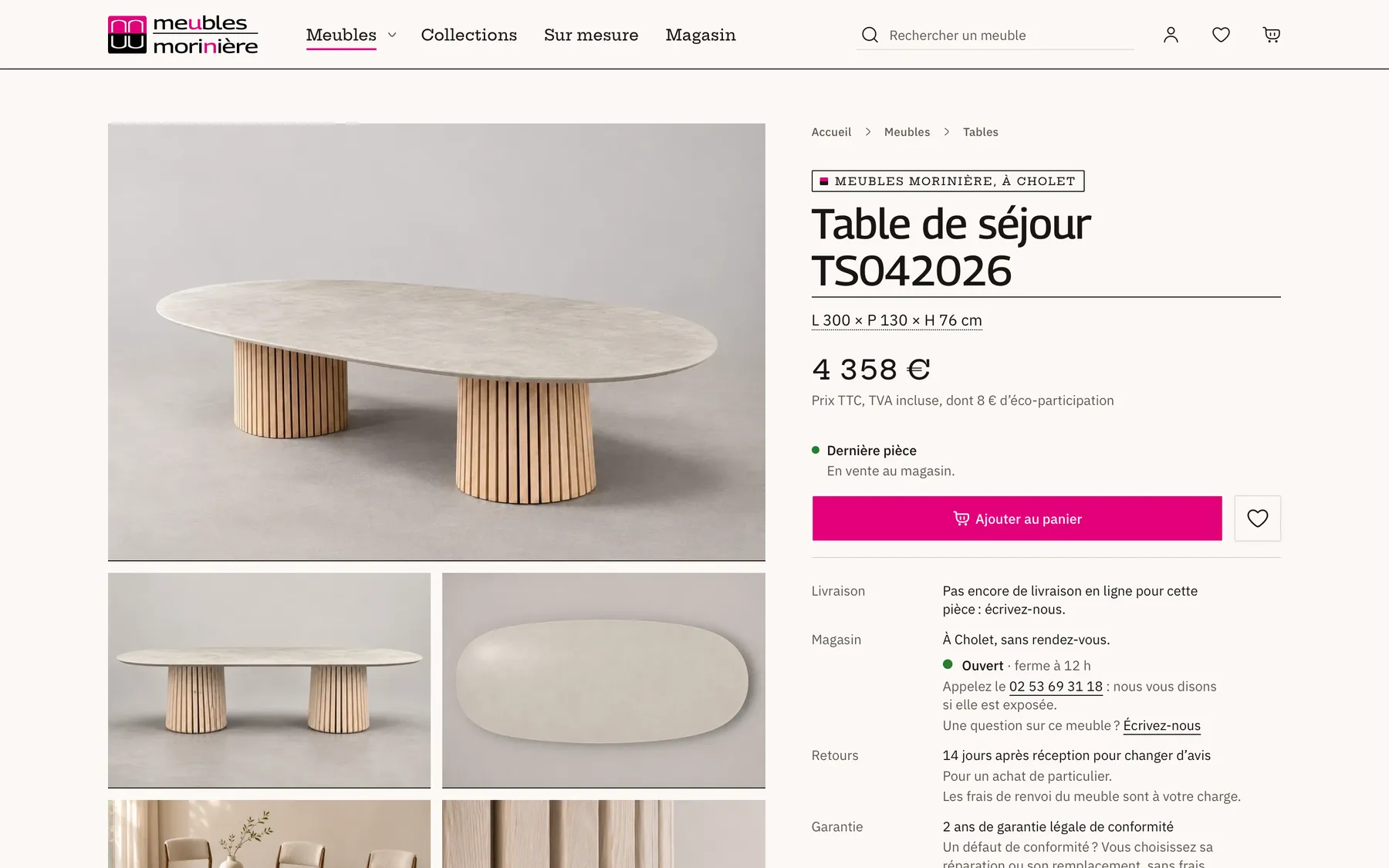
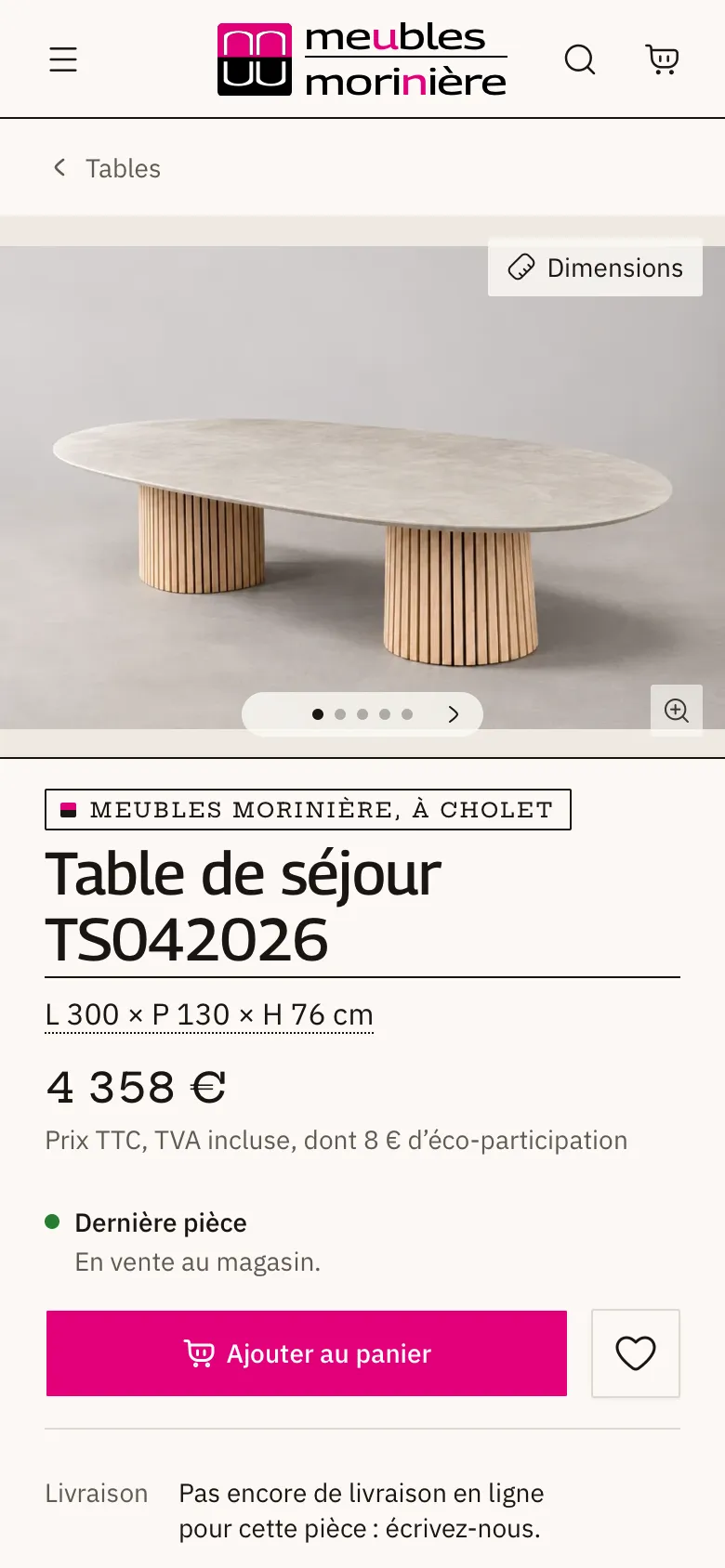
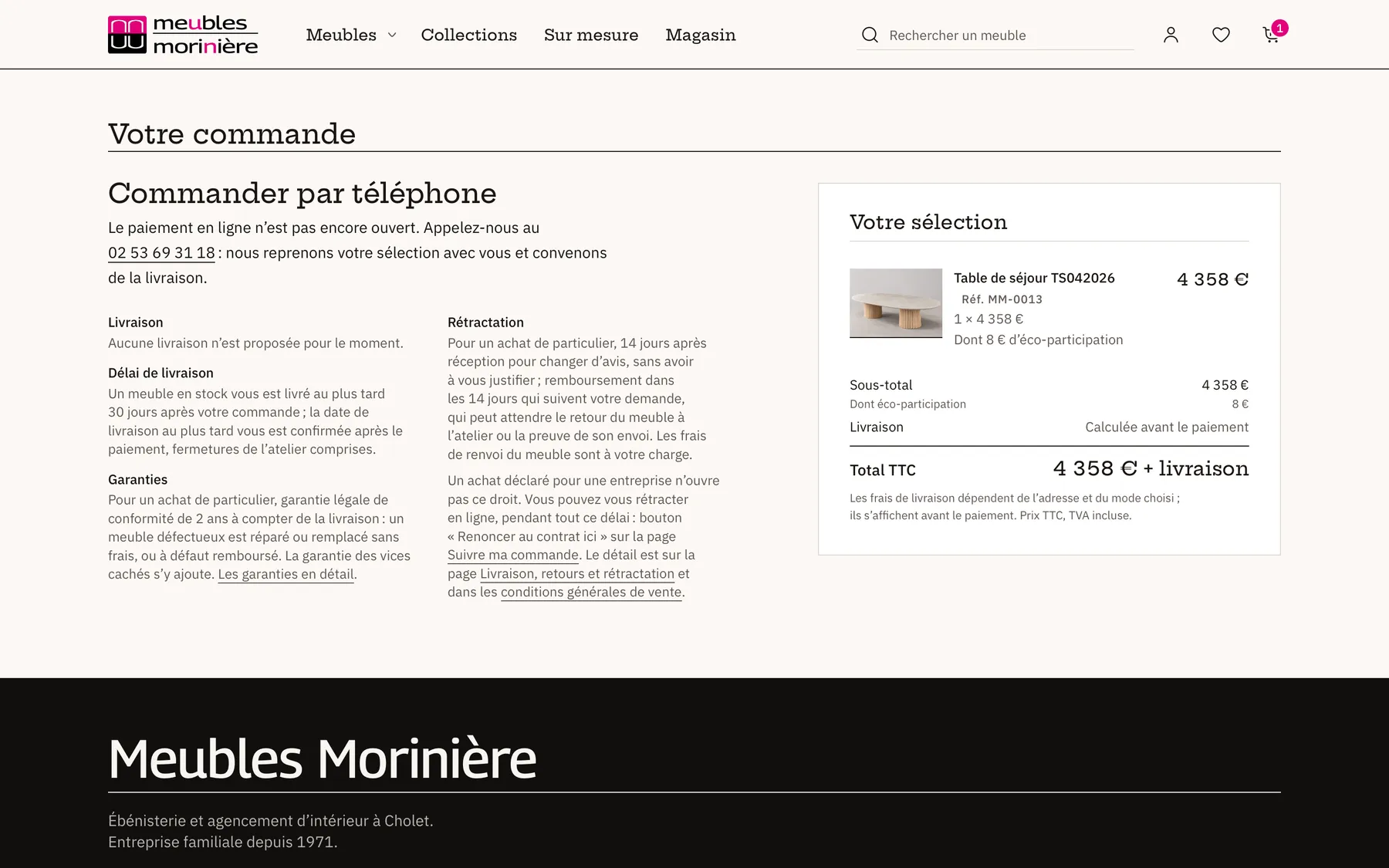
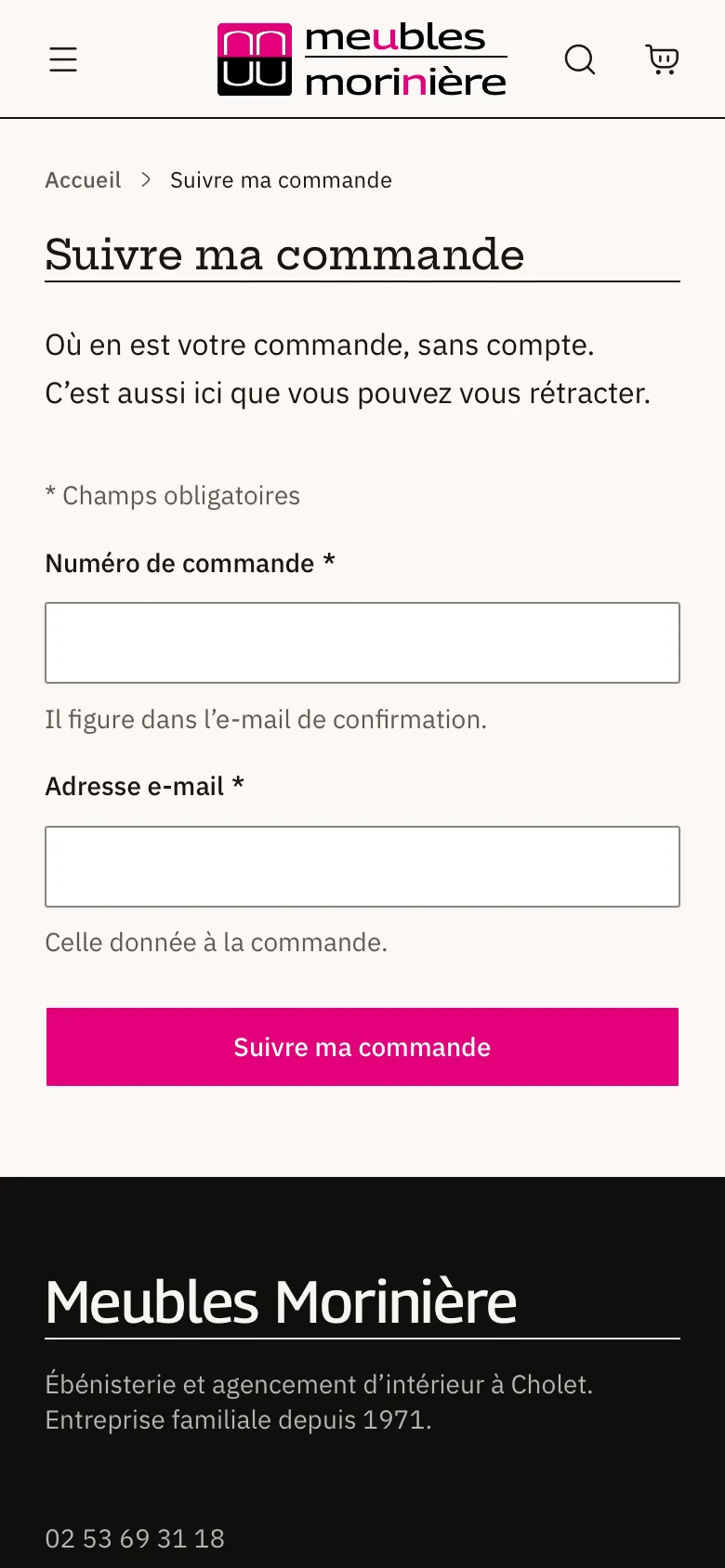
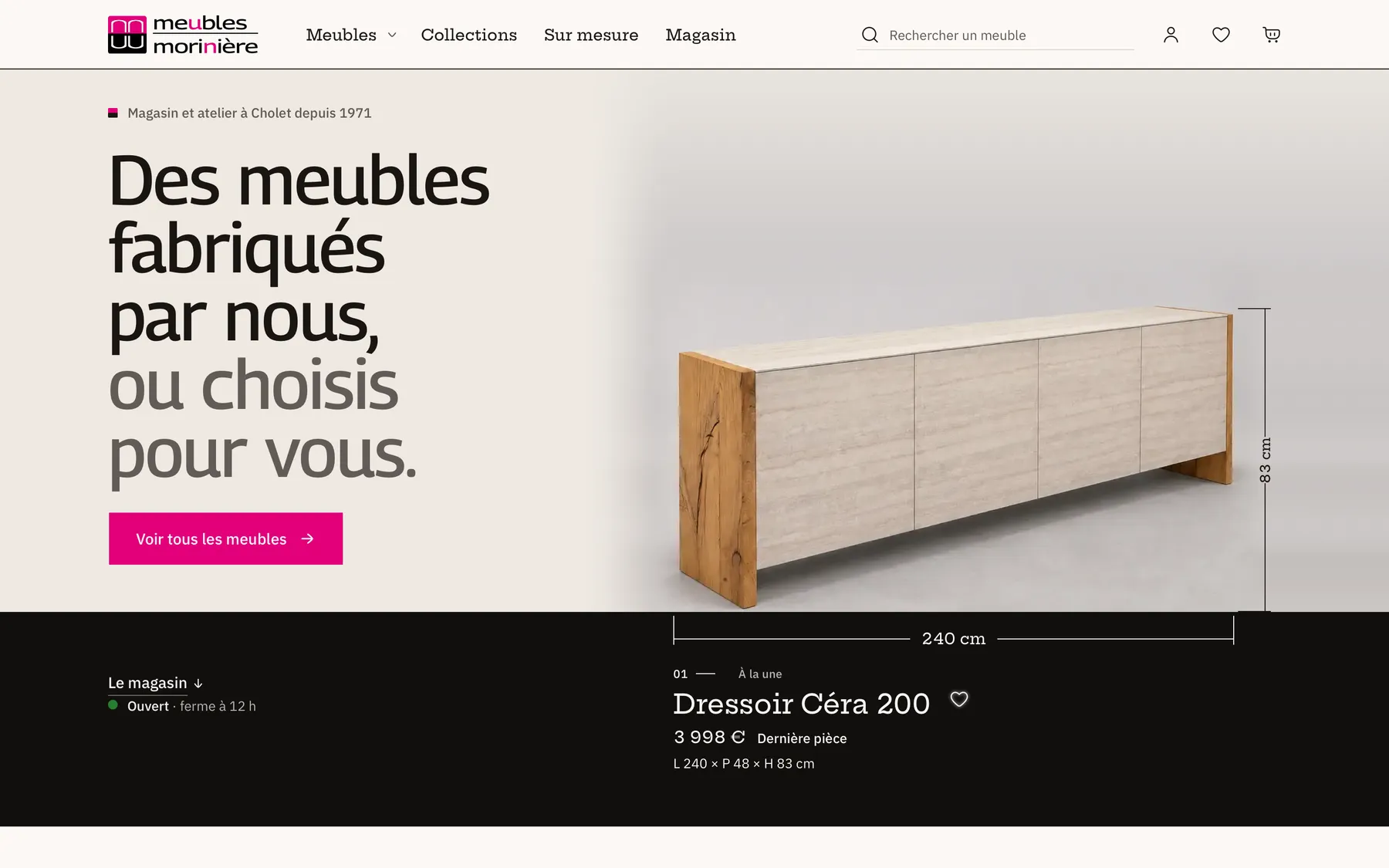
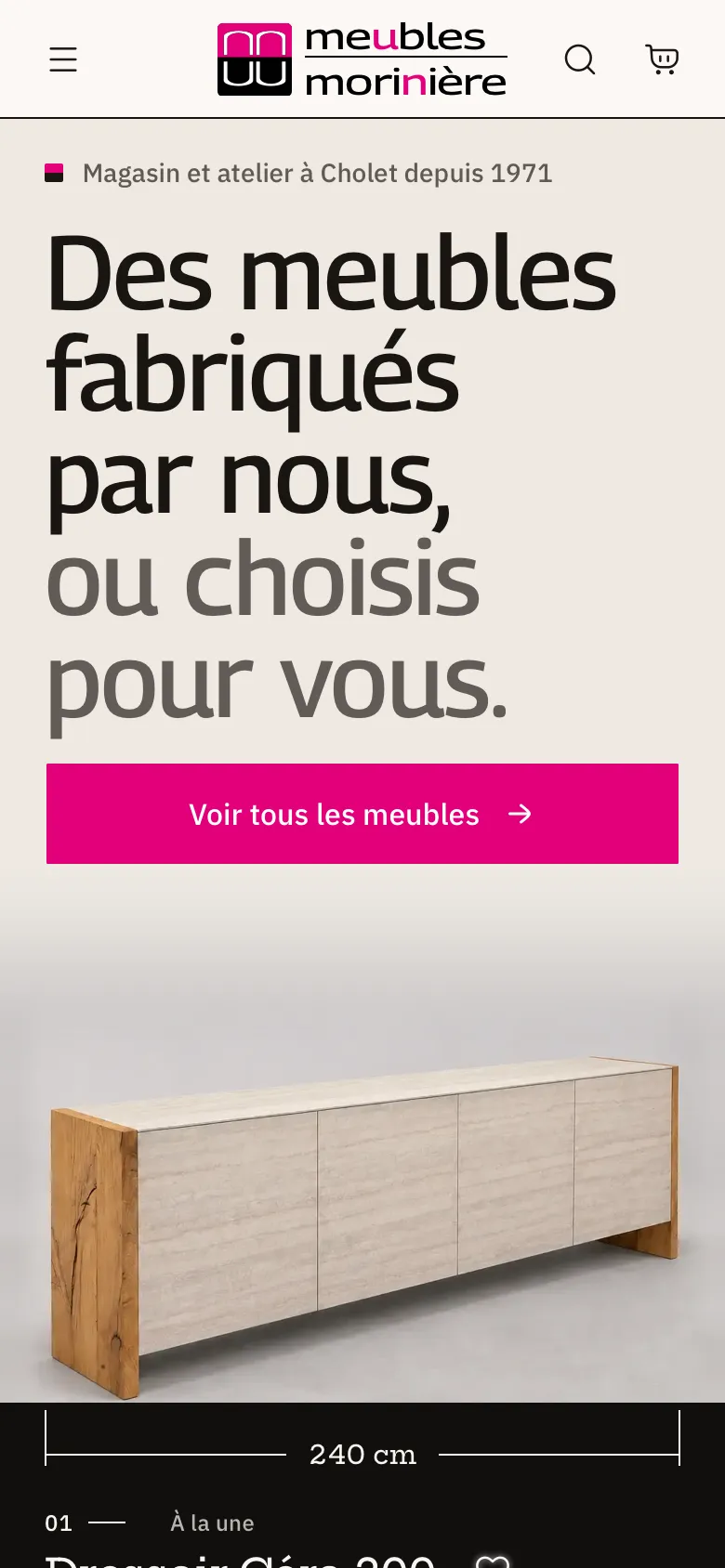
Home. The front page shows a workshop piece with its dimensions, price and availability, and whether the store is open.
The live storefront, captured read-only.
Fisher, the assistant
Fisher is the ERP’s assistant. It’s at the top right of every page (⌘J). You can give it a delivery note, a supplier’s acknowledgement or a quote request, on paper, as a photo or by voice, and it pulls out what’s needed to fill in the form. It can also write a text from the ERP’s data, and answer the team’s questions about how to do something, the stock, an order or a purchase.
Every figure it gives comes from a read of the ERP. If it writes one that has no source, the person is warned. And it doesn’t change anything until they’ve confirmed (Fisher).
The path of an order
- 01ERPPublishThe record holds the variants, photos, price and workshop lead time. Once it is published, the storefront’s cache is invalidated and the piece shows up right away.
- 02Storefront and ERPSellA sale online, in the store or from a quote is the same order. Customers pay what they saw.
- 03ERPCollectStripe confirms payments to the ERP only, by webhook. Each payment is chained to the previous one.
- 04ERPBuild and buyThe workshop deadline is counted from payment. Supplier orders are linked to the customer’s lines, and Fisher reads their acknowledgements.
- 05ERPReceiveWhat a customer is waiting for goes straight to them on receipt. The rest enters stock at weighted average cost.
- 06Storefront and ERPDeliverThe team picks the order and plans the delivery. Customers track it on the storefront, with no account.
- 07ERPInvoiceThe invoice cannot be altered and is archived with its hash. A mistake is fixed with a new document, and VAT is filed per period.
- 08ERPWatchEvery morning, the daily check reviews what is wrong and alerts the team by email and on their phones.
How it’s built
- Postgres tables
- 54
- schema migrations
- 169
- business modules
- 40
- test files
- 1,789
The ERP (apps/erp) and the storefront (apps/site) read and write the same Postgres database, but not with the same rights. The storefront only has the ones it needs, table by table and column by column. Everything the two applications have to do the same way is in the packages (packages/*): the database schema, the business rules (VAT, prices, lead times…), authentication, the contract for their exchanges and the UI kit (Architecture).
On the technical side, it’s Next.js (App Router, Cache Components, React Compiler) and React 19 in strict TypeScript, Prisma on Postgres (Neon), Better Auth, Stripe for online payments, Tailwind CSS 4, and Anthropic’s models through Vercel’s AI Gateway. The applications are hosted on Vercel, in the Paris region. The database is on Neon, in the United States, in Virginia (us-east-1) (Integrations).
What’s particular about this code
Everything I claim here, and every skill I claim with this project, has its evidence in Skills and evidence: the code involved and the test that checks it, extracted from the repository at every build.
- The important guarantees don’t depend on anyone’s discipline. The database or the code enforces them. Payments are chained and can’t be edited anymore. Stock doesn’t go below zero and its ledger can’t be rewritten. The storefront can only create orders awaiting payment. The details are in Data and Business logic.
- There are two applications, but each business rule is written only once. The storefront started as a fork of the ERP, and today a check stops the code from duplicating again. I tell that story in the case study Two applications born from a fork.
- Fisher only talks about what the ERP knows. Every figure it gives comes from a read of the ERP, and if it writes one without a source, the person is warned (Fisher).
How to read this doc
Here I explain how the code is built and why. For the details, the reference is the code: each page names the files and symbols involved (file.ts#SYMBOL). Some passages are taken as is from other texts in the repository (the README, the storefront map), and that’s where they get updated. I write the doc in French first. Until a page is translated, its English address shows the French version, marked FR in the menu.
The reading paths suggest an order depending on what you’re looking for. The map below follows the groups of the menu, with the question each one answers.
The project
What is it, and who built it?
- Reading pathsA reading order depending on what you’re looking for, with the time each step takes, then the map of every section.
- Case study: Meubles MorinièreA furniture workshop and store, two applications in production on one shared database, and a project I led on my own. I go through the context, the problem, the constraints, the decisions, the implementation and the results, and every claim links to its evidence.
- Skills and evidenceThe skills I claim in full-stack development, architecture, security, UX and quality. Each one has its evidence, read from the repository at build time: code, a test, a diagram or a decision.
- My contribution and AIAI as leverage, engineering as the standard. How I design and build with Claude Code, what I frame, decide and verify, and the records that show it.
The product
What does the software do?
- ERP(in French)L’outil de l’équipe, ce qu’il couvre, comment un module est rangé, et ce qui tourne même quand personne ne l’ouvre.
- Fisher, l’assistant IA(in French)L’assistant de l’ERP, ce qu’il fait, et les garanties que le code lui impose.
- Site public(in French)Comment le site est construit, du catalogue au paiement, les règles qu’il suit et la carte de son code.
- Logique métier(in French)Où sont les règles du magasin, comment on compte l’argent, et pourquoi chaque règle n’est écrite qu’une fois.
The code
How is it built?
- Architecture(in French)Le monorepo, ses applications Next.js et ses paquets : ce qui appartient à chacun, qui dépend de qui, qui parle à qui en prod, et où tout est hébergé.
- Sécurité(in French)Ce que le logiciel protège, contre quoi, et où chaque garantie se vérifie, pour les comptes, la base, les prestataires et les échanges entre les applications.
- Qualité et livraison(in French)Le trajet d’un changement de mon poste jusqu’à la prod, le contrôle qui le vérifie à chaque étape, le risque que chacun couvre, et ce qui n’est pas couvert.
Engineering choices
Why is it built this way?
- Technical case studiesEleven engineering problems that came up on the project, from a one-of-a-kind piece sold on two channels to an assistant that must not make up a single figure. For each one, I give the solution that was kept, what it achieved and its limits.
- Décisions d’architecture(in French)Les décisions qui donnent sa forme au logiciel, au format ADR. Je sépare ce que les sources confirment de ce qui reste une hypothèse.
- Dette, risques et évolutions(in French)Ce qu’on n’a pas construit et pourquoi, la dette qu’on garde en connaissance de cause, les risques qui restent malgré les gardes, et le signal qui ferait changer d’avis.